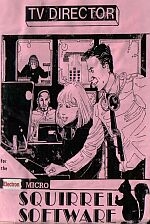
TV Director
250 images in TV fashion to any sound track of your choice, complete with titles and credits. By incorporating a VHS or Beta videorecorder into the setup, you should be able to put your efforts onto videocassette. Picture Maker - Although sample blocks of pictures are provided to get you started, you should find that this program enables you, after a little practice, to create your own images quickly and easily. TV STUDIO (Gallery) - converts the keyboard into a twin bank vision mixer panel with fader (joystick preferable but not essential), eight preview monitors and output monitor. PROGRAMME REVIEW - enables you to sit back and view the last 'take', possibly recording it on videocassette at the same time. Full instructions are provided - and every effort is made to ensure that a fairly accurate atmosphere of the TV gallery does start the adrenelin running... Introduction The purpose of the program is to enable budding vision mixers, directors, producers, etc to compile a set of basic pictures on a theme and, using the keyboard as a vision mixer panel, produce a sequence of images to fit their selected soundtrack. This can be recorded on to a suitably equipped domestic videorecorder. The program comprises suite of three programs, PICTURE MAKER, TV STUDIO and PROGRAMME REVIEW. Each program has its own menu which forms the main hub of the program - pressing ESCAPE or RETURN, depending on which area you happen to be in, will return you to it. This manual describes the function of each program in order of use and explains one by one every Menu Option.
ESRB Rating: Not Rated
Genre(s): Education